Game interface design study
Diegetic game UI and in-world HUDs
Diegetic UI presents information as part of the game world rather than only as a separate screen overlay. Dead Space offers clear references in its suit-mounted health display and weapon-adjacent ammunition readout. The design challenge is keeping information readable while its position, scale and background can change with the camera.
Artstyle visual analysis of the screenshots below. These references describe appearance, not a verified account of how the original assets were produced.
Explore diegetic interface referencesWhat defines this look
A believable attachment
Choose where information appears to live: suit, weapon, instrument or object. Its position should connect to the action or status it describes.
Visibility during movement
A world-space readout can become small, angled or occluded. Test it across camera movement and combat situations rather than approving one attractive still.
A consistent signal
Color, segmentation and shape should remain recognizable against changing backgrounds. The same light may need different supporting contrast in a dark corridor and a bright room.
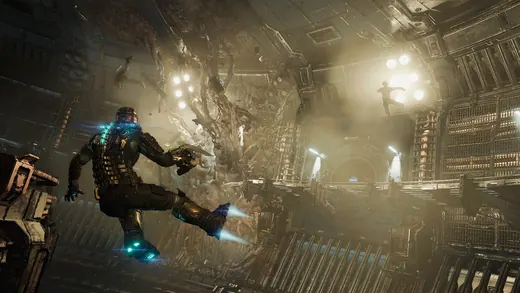
Status on the character
Dead Space
Cyan segments along the suit’s spine make health part of the visible character silhouette. Their location keeps the signal near the player’s usual point of attention.
What to studyLook at the contrast between the spine and the suit material.
Explore these references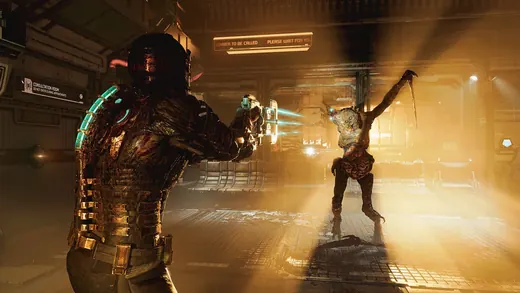
Information beside the action
Dead Space
A cyan ammunition display floats near the weapon while the spine remains visible. Multiple signals share a language but occupy different places.
What to studyCompare the scale and location of the weapon readout and health segments.
Explore these referencesWhat to avoid
In-world placement is not automatically more usable or immersive. Occlusion, camera distance and visual effects can make critical information disappear at the worst moment.
Is every floating label diegetic?
No. A label can be anchored to a world object without being something characters could perceive. Describe its role and placement explicitly instead of relying on the term alone.
Build your reference sheet.
Collect the same readout in at least three camera conditions. Label its attachment, visibility risks and any backup signal needed when it is obscured.
Start a free lookbookYour free lookbook includes 20 references and sharing.
Visual analysis by Artstyle. Screenshots belong to their respective rights holders and are provided as references, not licensed production assets. Source links appear with each image.
Related visual studies
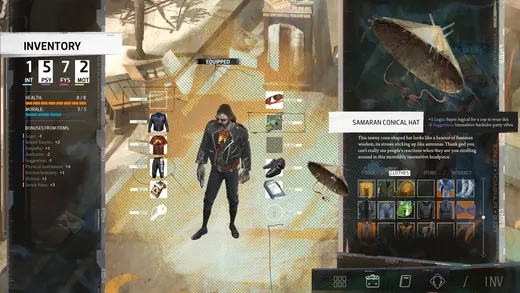
RPG inventory UI design references
RPG inventory UI must distinguish what a character owns, what they have equipped and what will change when an item is selected.

Game dialogue boxes and choice UI
Game dialogue UI coordinates the speaker, the words and the player’s next action.
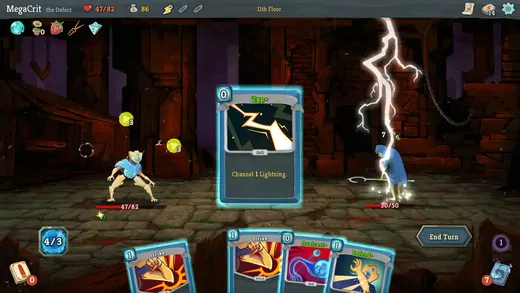
Deckbuilder and card game UI references
Card game UI must make individual cards readable while showing how a hand changes the larger game state.