Game interface design study
Strategy game information and command UI
Strategy game UI has to connect a large world with a specific decision. FTL and RimWorld offer useful references for a schematic overview and a contextual information panel. Their layouts illustrate different ways to preserve the situation while exposing details about the current selection.
Artstyle visual analysis of the screenshots below. These references describe appearance, not a verified account of how the original assets were produced.
Explore strategy interface referencesWhat defines this look
Overview before detail
Keep the major state of the world understandable when a panel opens. The player should know which object the information belongs to and what remains active behind it.
Grouped controls
Place related resources and actions together. A dashboard becomes easier to scan when its regions correspond to meaningful decisions rather than arbitrary decoration.
A visible current selection
Highlight or spatially connect the selected entity and its details. Avoid requiring the player to remember a selection after a large panel obscures it.
A schematic operational overview
FTL: Faster Than Light
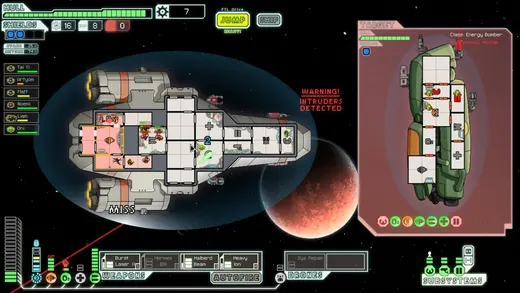
FTL divides ship rooms, an opposing vessel and power controls into distinct areas. The schematic simplifies the world so system relationships can remain visible.
What to studyFollow one room’s relationship to the controls below.
Explore these references
Details beside the colony
RimWorld
RimWorld opens compact information beside the settlement. The environment remains present while the panel supplies data about the selected colonist.
What to studyCompare the panel’s footprint with the remaining view of the colony.
Explore these referencesWhat to avoid
Density is not the same as sophistication. A professional-looking dashboard can still obscure the next useful action. Test whether a new player can locate one specific fact quickly.
Should strategy UI use a schematic or a realistic map?
Use a schematic when relationships and system status matter more than surface appearance. A realistic view can remain useful for spatial context; the two can coexist at different levels.
Build your reference sheet.
Create a sheet for overview, selection and contextual details. Give each region a task and identify the information that must stay visible when another panel opens.
Start a free lookbookYour free lookbook includes 20 references and sharing.
Visual analysis by Artstyle. Screenshots belong to their respective rights holders and are provided as references, not licensed production assets. Source links appear with each image.
Related visual studies
Games that look like XCOM
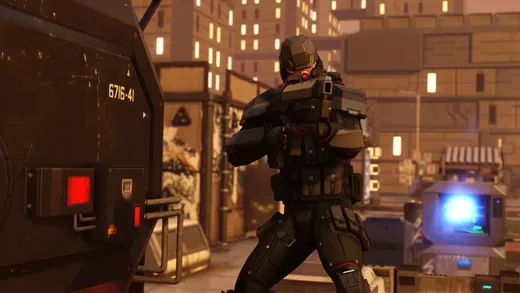
Compare games that look like XCOM: Gears Tactics, Phoenix Point and Mutant Year Zero. Screenshots, art-direction notes, and references for your own game.
RPG inventory UI design references
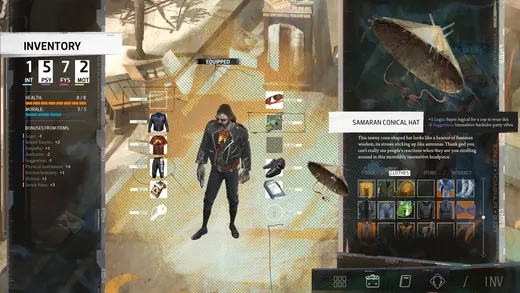
RPG inventory UI must distinguish what a character owns, what they have equipped and what will change when an item is selected.

Game dialogue boxes and choice UI
Game dialogue UI coordinates the speaker, the words and the player’s next action.